Linux Commands and File System Hierarchy – Complete Beginner Guide
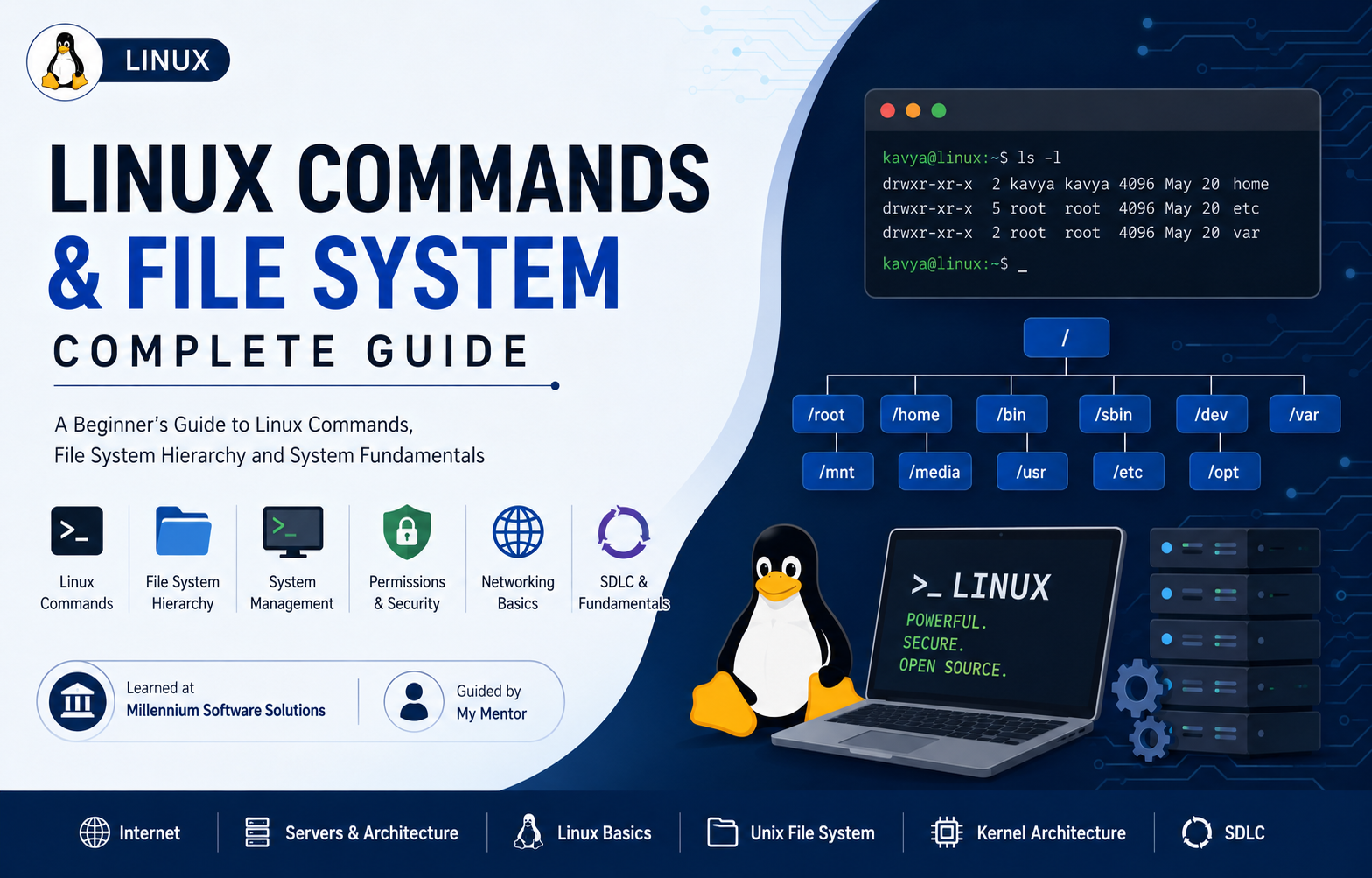
During my learning journey at Millennium Software Solutions, I explored Linux fundamentals, file system hierarchy, and commonly used commands that are essential for every software developer, system administrator, and DevOps engineer.
Linux is one of the most widely used operating systems in servers, cloud platforms, and development environments.
In this article, I’ll explain:
What is Linux Linux File System Hierarchy Common Linux Commands File Management Commands User Commands Process Commands Network Commands Permission Commands
What is Linux?
Linux is an open-source operating system based on Unix.
It manages:
hardware software memory processes files
Linux was created by Linus Torvalds in 1991.
Features of Linux
Open source
Secure Stable
Multiuser
Multitasking
Portable
Linux is used in:
Servers
Cloud computing
Cybersecurity
Networking Software development
Examples of Linux distributions:
Ubuntu
Fedora
Linux Debian
Linux File System Hierarchy
Linux uses a tree structure.
Everything starts from:
/
This is called Root Directory.
Important Directories /root
Admin user home directory.
/root /home
Stores user folders.
/home/kavya /bin
Contains basic commands.
Examples:
ls
cp
mv
cat
/sbin
System admin commands.
Examples:
reboot shutdown /dev
Device files.
Examples:
/dev/sda /etc
Configuration files.
Examples:
/etc/passwd /usr
Applications and libraries.
/var
Variable files like logs.
Example:
/var/log /opt
Optional software.
/mnt
Temporary mount point.
/media
External devices.
Common Linux Commands
- pwd
Print current directory.
pwd
Output:
/home/kavya 2. ls
List files.
ls
Options:
ls -l ls -a
3. cd
Change directory.
cd Documents
Back:
cd ..
4. mkdir
Create folder.
mkdir project
5. rmdir
Remove empty folder.
rmdir folder
6. touch
Create file.
touch notes.txt
7. cat
Display file.
cat notes.txt
8. cp
Copy files.
cp file1 file2
9. mv
Move or rename.
mv old.txt new.txt
10. rm
Delete file.
rm file.txt
Delete folder:
rm -r folder
User Commands
whoami whoami
Shows current user.
passwd passwd
Change password.
Process Commands
ps ps
Show running processes.
top top
System monitoring.
kill kill 1234
Stops process.
Permission Commands chmod chmod 777 file.txt
Changes permissions.
chown chown user file.txt
Changes owner.
Network Commands ping ping google.com
Checks connectivity.
ip ip addr
Shows IP address.
ifconfig ifconfig
Network details.
Package Management
Ubuntu:
Update packages
sudo apt update
Install package
sudo apt install git
Why Learn Linux Commands?
Linux commands help in:
file management
server administration
cloud computing
DevOps
cybersecurity
automation
Most servers in the world run Linux.
Learning Linux gives strong foundation in IT and software development.
Conclusion
Linux is a powerful operating system widely used across servers, cloud, and development environments.Understanding Linux commands and file structure helps beginners:navigate systems manage files control processes configure networks secure systemsLearning these basics at Millennium Software Solutions helped me strengthen my understanding of operating systems and server environments.
Tags
#Linux #Unix #Commands #OperatingSystem #SoftwareDevelopment #DevOps #CloudComputing #Hashnode #LearningJourney