
Understanding the Difference Between Memory Space and Disk Space in Linux and Computers
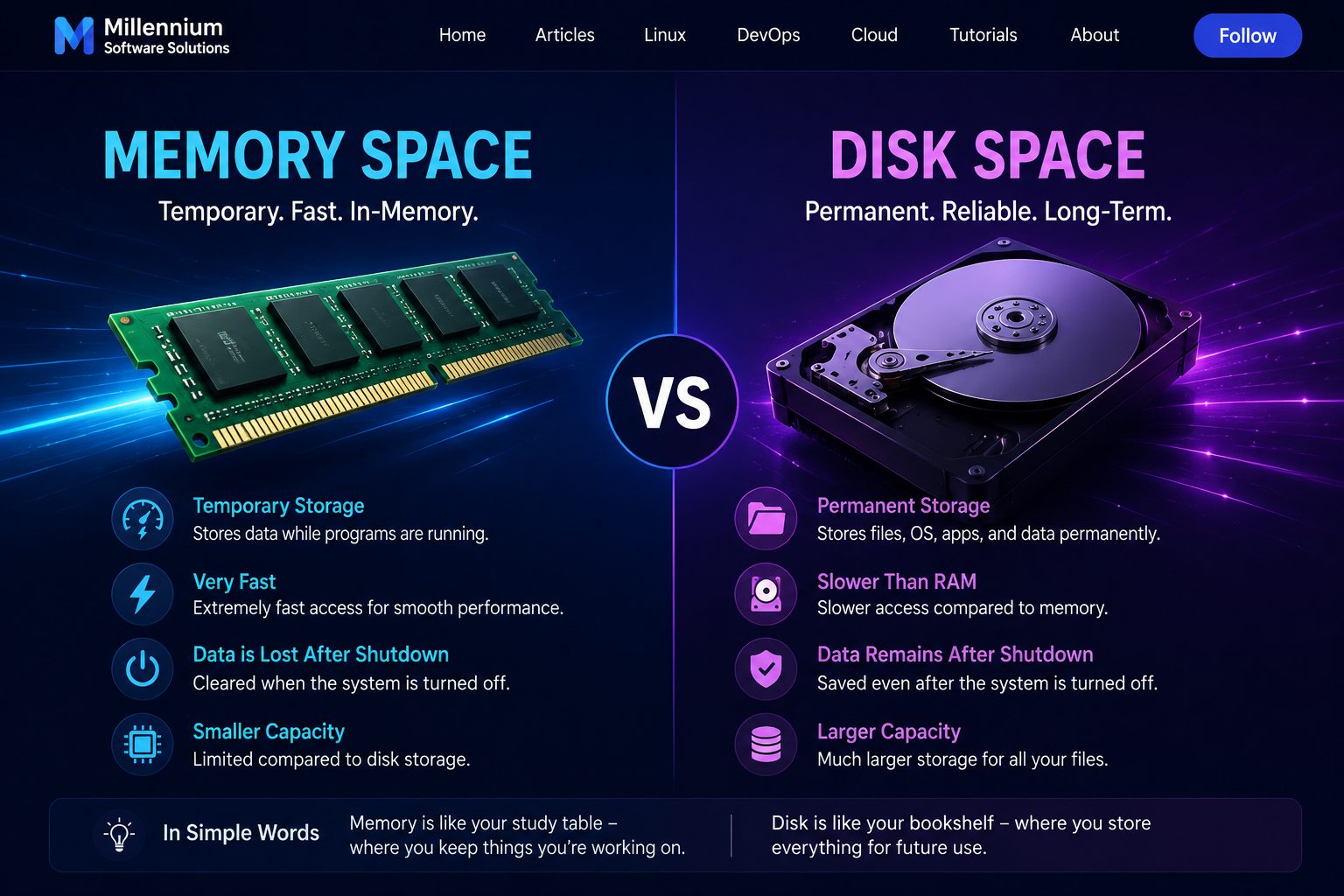
In computer systems, beginners often get confused between memory space and disk space because both are related to storing data. However, they serve very different purposes inside a computer. Understanding this difference is important for learning Linux, system administration, and general computer fundamentals.
What is Memory Space?
Memory space refers to RAM (Random Access Memory).
RAM is a temporary storage area where the computer keeps data that is currently being used by the CPU. When you open an application such as a browser, text editor, or music player, the program is loaded from disk into memory so that the processor can access it quickly.
Memory is much faster than disk storage, which helps programs run smoothly.
Characteristics of Memory Space
Temporary storage
Very fast access speed
Stores active programs and processes
Data is erased when system is shut down or restarted
Limited size compared to disk storage
Example
If your system has 8GB RAM, that means the computer can temporarily hold 8GB of active data while running applications.
When you open multiple applications:
Browser
VS Code
Music player
Terminal
All these programs consume memory space.
Linux Command to Check Memory Space
free -h
Example output:
total   used   free   shared   buff/cache   available
7.6Gi   3.2Gi  1.8Gi  500Mi    2.6Gi        3.5Gi
Explanation:
total = total RAM
used = RAM currently in use
free = unused RAM
available = memory available for new programs
Another useful command:
top
Shows live memory and CPU usage.
What is Disk Space?
Disk space refers to permanent storage available in devices like:
HDD (Hard Disk Drive)
SSD (Solid State Drive)
Disk storage keeps files, operating systems, applications, videos, documents, and databases permanently.
Unlike memory, disk data remains stored even after shutdown.
Characteristics of Disk Space
Permanent storage
Slower than RAM
Stores files and operating system
Large storage capacity
Data remains after reboot
Example
If your laptop has 512GB SSD, that means you can store up to 512GB of files and software.
Stored data includes:
Linux OS
Movies
Photos
Documents
Applications
Linux Command to Check Disk Space
df -h
Example output:
Filesystem      Size  Used Avail Use%
/dev/sda1       100G   45G   50G  48%
Explanation:
Size = total disk size
Used = occupied storage
Avail = free disk space
Another command:
du -sh foldername
Shows folder size.
Key Differences Between Memory Space and Disk Space
| Feature | Memory Space (RAM) | Disk Space |
|---|---|---|
| Storage type | Temporary | Permanent |
| Speed | Very fast | Slower |
| Data after shutdown | Lost | Saved |
| Purpose | Running programs | Storing files |
| Capacity | Smaller | Larger |
| Example | 8GB RAM | 512GB SSD |
Real-Life Analogy
Think of a computer like a study room.
Memory Space = Study Table
A study table is where you place books you are currently using.
Easy to access
Limited space
Cleared after work
Disk Space = Bookshelf
A bookshelf stores all books permanently.
Large storage
Slower to access
Keeps books safe long-term
You take books from the bookshelf (disk) and place them on the table (memory) when needed.
Why This Difference Matters in Linux
Linux system administrators and developers frequently monitor both memory and disk usage.
Low Memory Causes
Slow performance
System lag
Application crashes
Low Disk Space Causes
Unable to install software
Log files filling storage
System errors
Common Linux monitoring commands:
free -h     # Check RAM
df -h       # Check disk
top         # Monitor live system
du -sh *    # Folder sizes
Conclusion
Memory space and disk space are both essential components of a computer system, but they serve different roles.
Memory space helps programs run efficiently by providing temporary fast storage.
Disk space stores data permanently for long-term use.A computer needs both:
Enough RAM for smooth multitasking
Enough disk storage for files and software


